The daily check and the trade list
Every morning Alfolio checks each strategy. The Trades tab shows what it found and the trades that follow, and lets you run the check yourself.
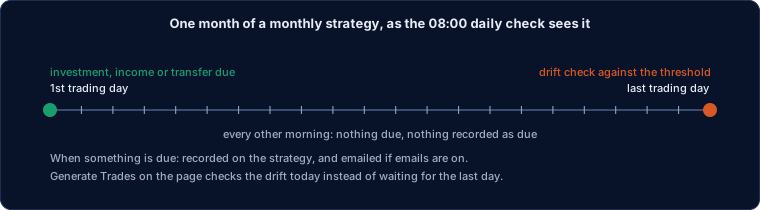
The daily check
Every morning, after the brokers have been synced, Alfolio checks each strategy: whether an investment, an income or a transfer is due, and on check dates whether anything has drifted past the threshold. What it finds is recorded on the strategy, and if something is due and the strategy has emails on, you get the trade list by email.
The Trades tab shows the recorded check ("Scheduled check 9 Oct, 08:00: income due (3 trades); emailed. Next check 30 Oct.") and the strategies list marks the ones with something due. Marking the trades executed clears the mark.
The email has a link that marks the trades executed, the same as the button on the page. The link works for seven days.
Switch emails on with "Email me when trades are due" in the Overview. The address must be verified.
Generate Trades
A click checks the strategy today: what is due, and whether anything has drifted past the threshold now rather than waiting for the check date. The list shows every trade by account, the cash movements behind them, and a reason when there is nothing to do.
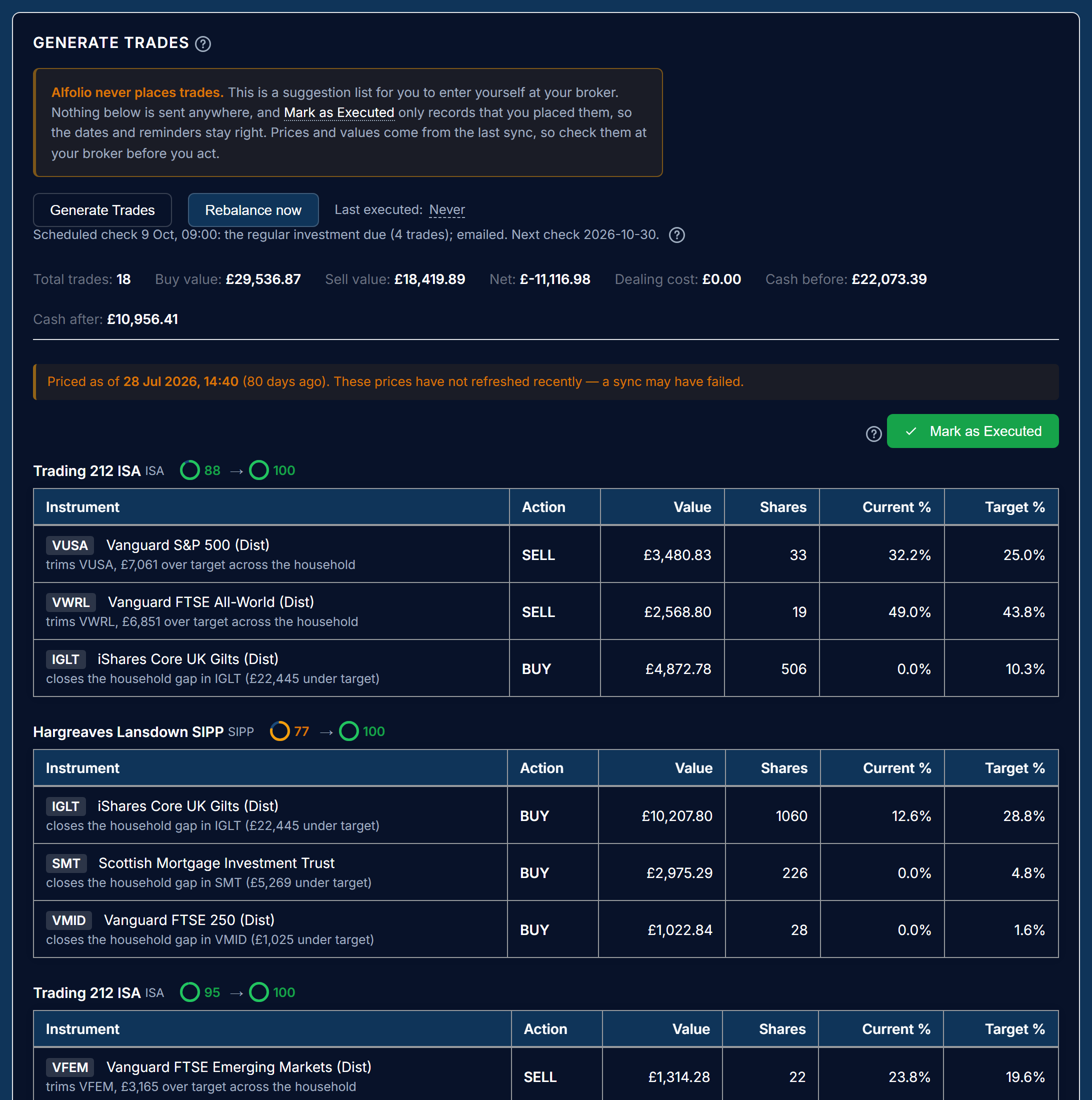
The other buttons:
- Rebalance now is a full rebalance outside the schedule. In accumulation with new money only on it still buys only, unless you tick "Allow sells this time".
- Invest now and Draw income now run the regular investment or income although it is not due.
- Override limits appears when a contribution allowance trimmed the list.
Prices and values come from the last broker sync, so check them at your broker before you act.
Mark as Executed
Mark as Executed records that you placed the trades. It only records dates: the last investment, the last income drawn, the transfer made, the collection rebalanced. Nothing is sent to a broker.
The dates are what the schedule counts from, so marking keeps the next investment or income due at the right time. Once your broker has synced the real trades, the holdings and cash on the page update by themselves. If you did not place the trades, do not mark them: the next check will propose them again.
Proposals from a connected assistant
An assistant connected through Alfolio's connector (Claude, ChatGPT) can propose a change to a strategy's settings, phase or account orders. The proposal is shown here with what it would change and what that would do; nothing changes until you approve it.
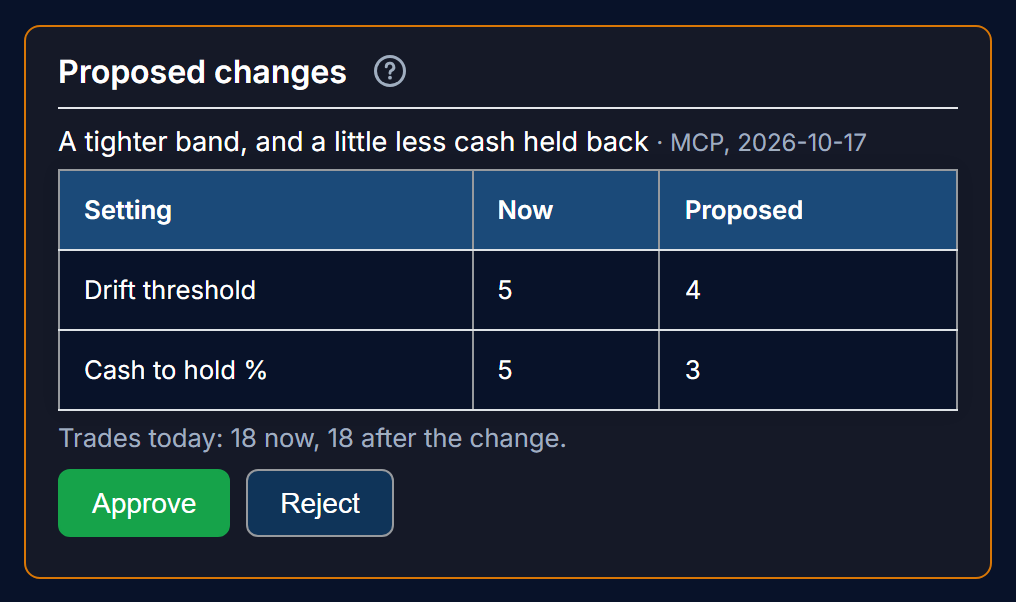
The proposal lists each setting before and after, the trades the changed strategy would propose today against today's list, and a backtest of the two over the last two years. Approving it saves the change exactly as the page's Save would; rejecting it leaves everything as it is. A proposal not decided within two weeks expires. The connector cannot change a strategy itself: every tool it has is read-only apart from leaving a proposal for you.
Last updated 2026-10-10.